
A step-by-step photo guide
From a cracked display and pink line to a working replacement screen. Follow the main stages in eight workshop photos, including the original sensor transfer and final assembly.
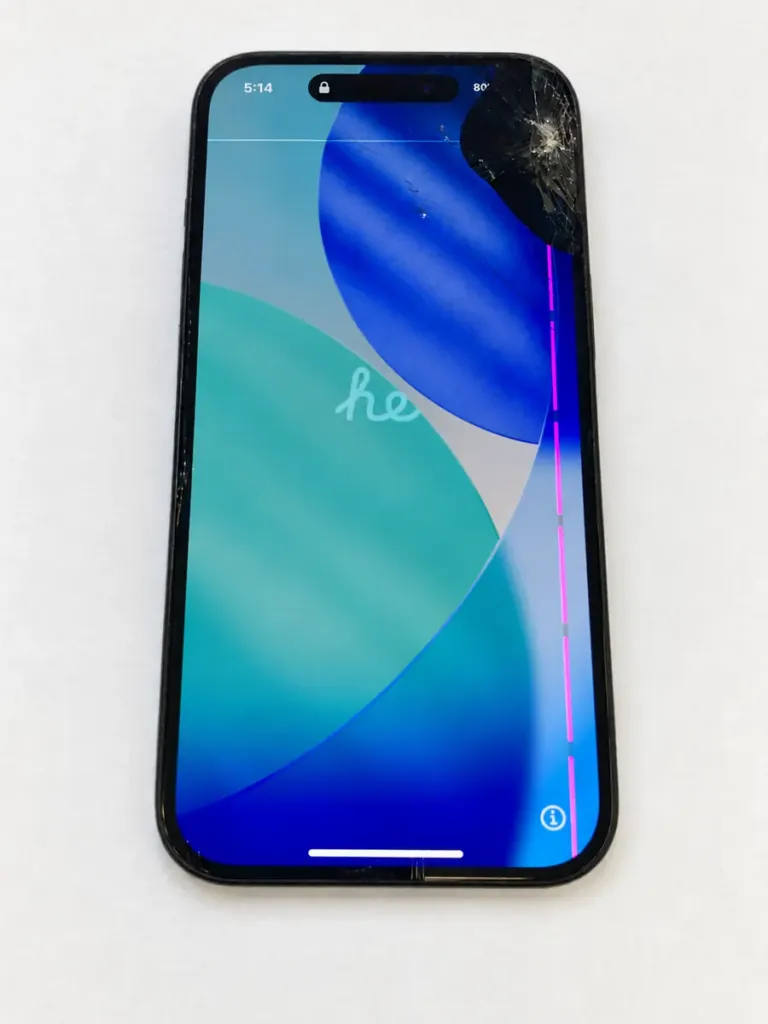
A cracked screen and a pink line
The original iPhone 15 has impact damage at the top corner and a pink vertical line. Check the display, touch response and other functions before starting, so you can compare them after the repair.
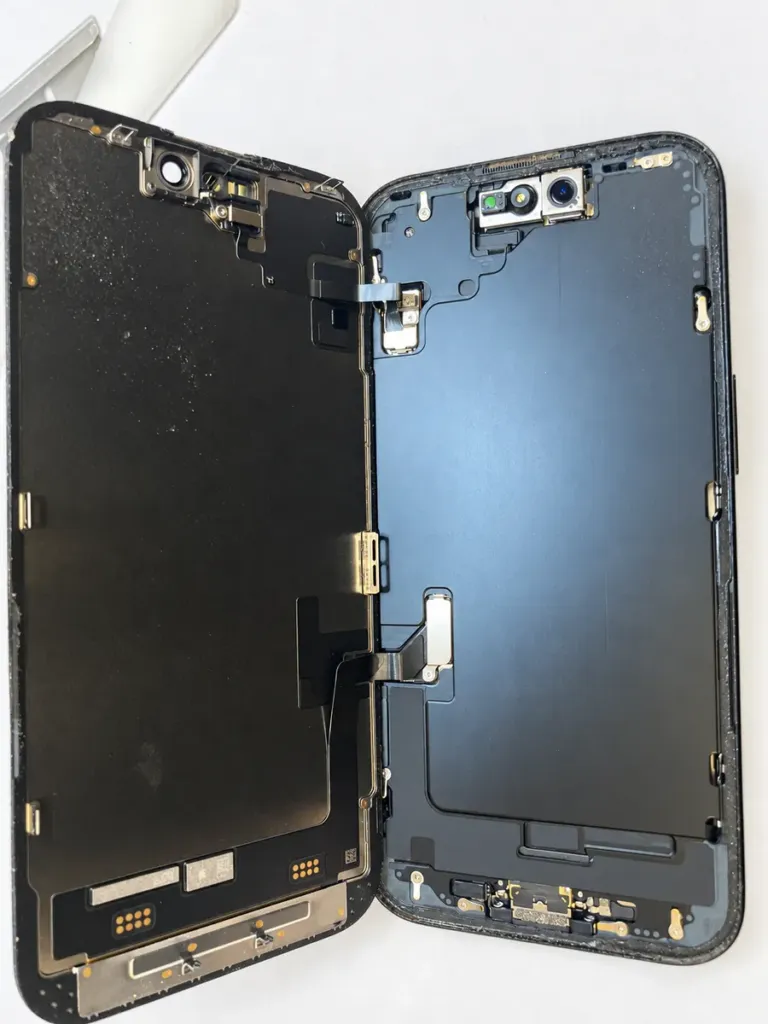
Open and disconnect the old display
Power off fully and unplug the phone. Remove the two bottom screws, release the edge adhesive with model-appropriate heating and opening tools, and support the screen. Remove the display and sensor connector covers and their screws, then carefully disconnect both cables with a non-conductive tool. The photo shows the screen open before disconnection.
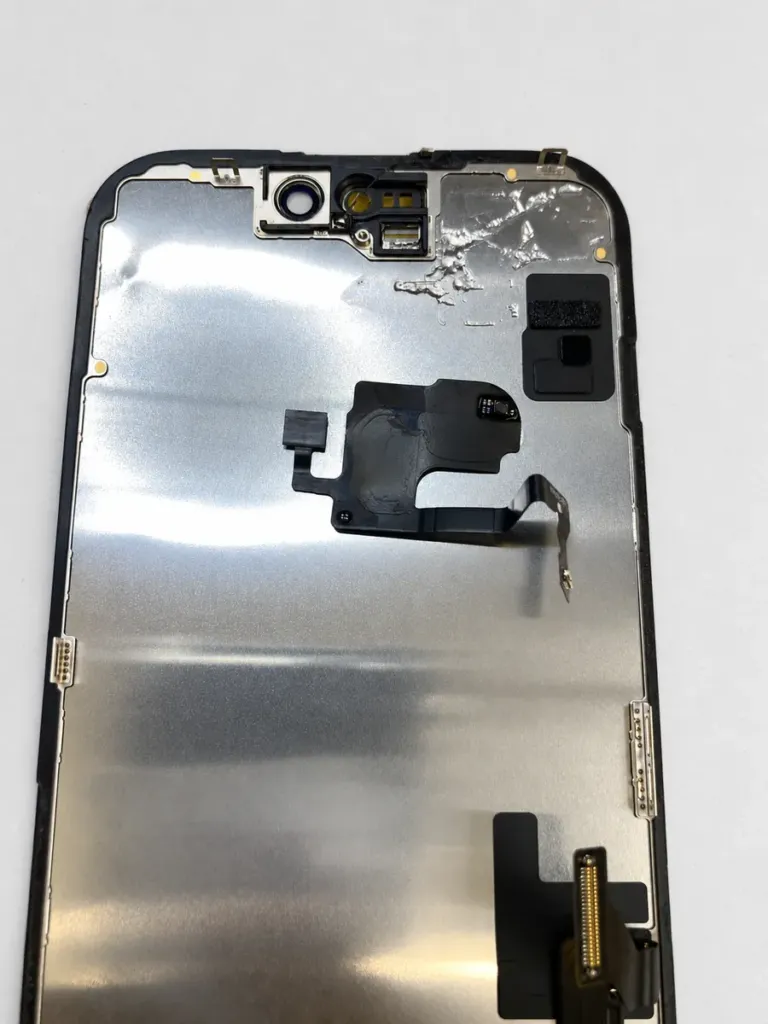
Remove the original sensor assembly
Once the old screen is detached, release the sensor retaining screw and adhesive, then carefully lift the sensor assembly. Support the delicate flex cable; do not pull or sharply fold it. Keep the screws organised by their original positions.
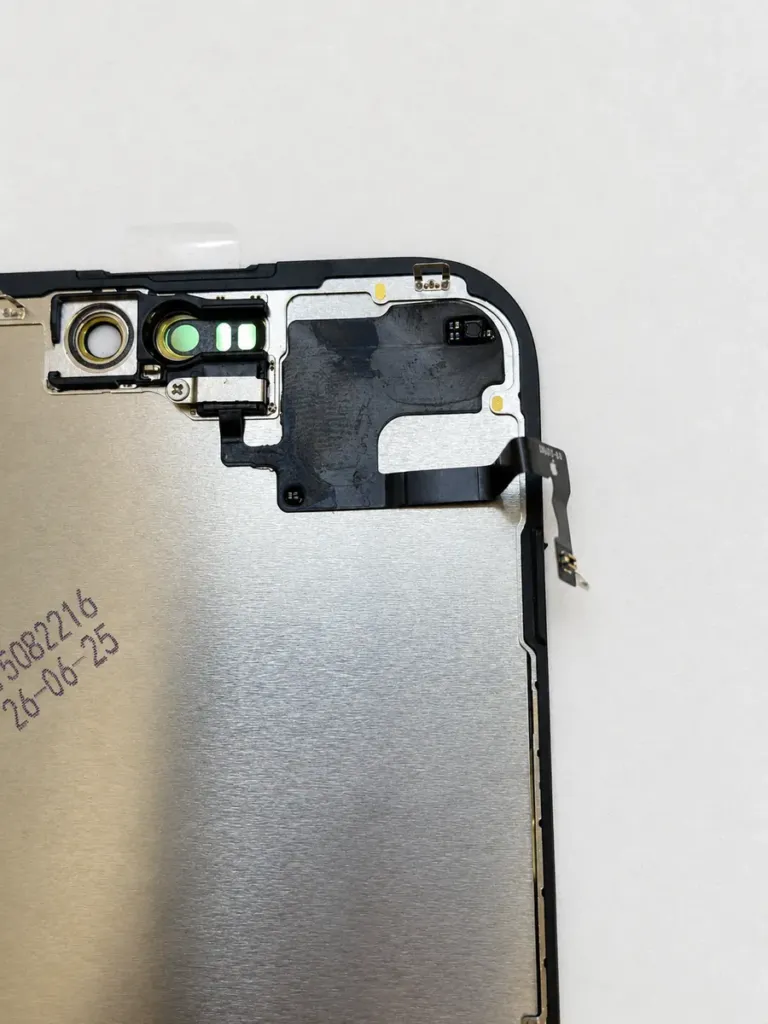
Transfer the sensor to the new screen
Fit the original sensor into the matching recesses on the replacement screen and secure it with the correct screw. Check that the sensors sit flat and that the flex cable follows its intended path. Avoid touching the sensor surfaces.
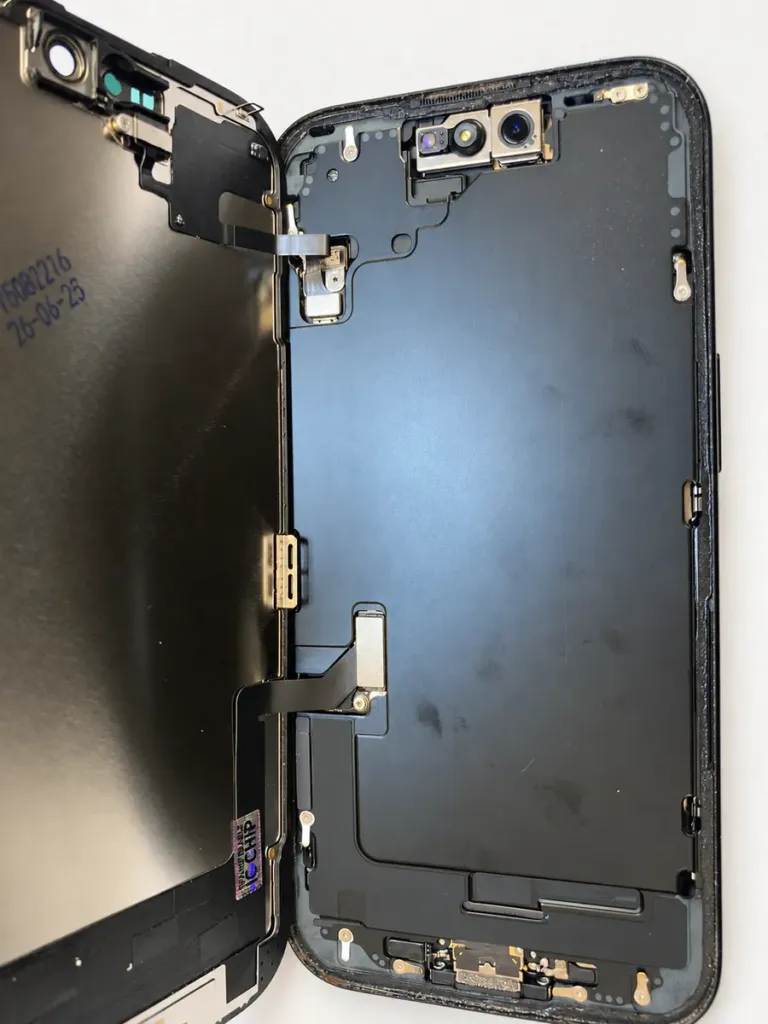
Reconnect the screen and sensor
Support the new display beside the phone and align both connectors precisely before gently seating them. Do not force a connector that is misaligned. Check the cable routing and refit the sensor connector cover with its correct screw.
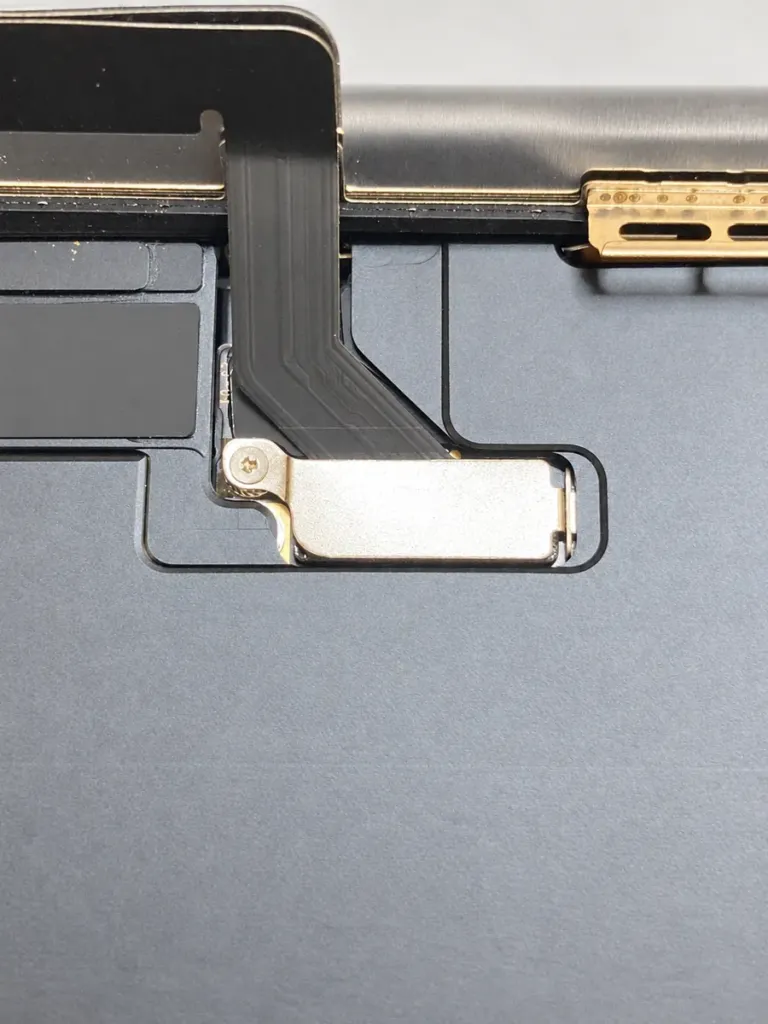
Refit the covers and check before sealing
Secure the display connector cover with the correct screw, as shown. Check both connector covers, cables and the inside of the phone for loose screws or debris. Test the screen before final sealing, then power off again. Remove the old perimeter adhesive and fit fresh model-specific display adhesive; those adhesive steps are not pictured.
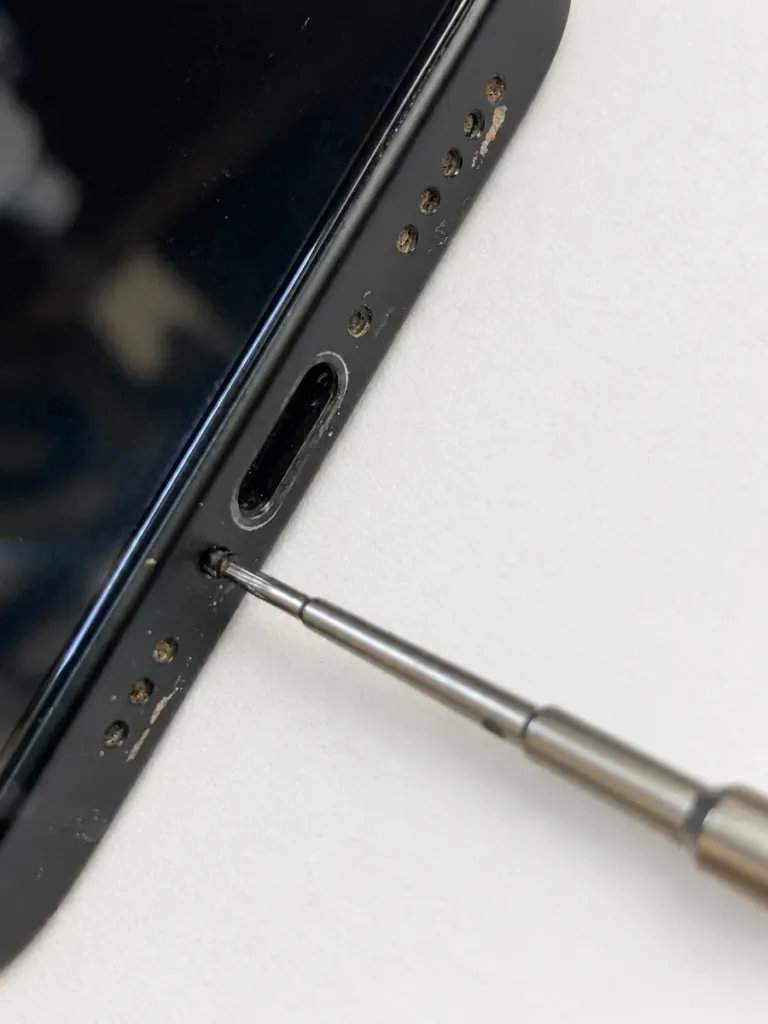
Close the screen and fit the bottom screws
Lower the screen without trapping cables, follow the adhesive installation procedure and check that every edge sits flush. If the screen is raised, check alignment instead of forcing it shut. Install the two bottom screws beside the USB-C port without overtightening; the photo shows one of them being fitted.
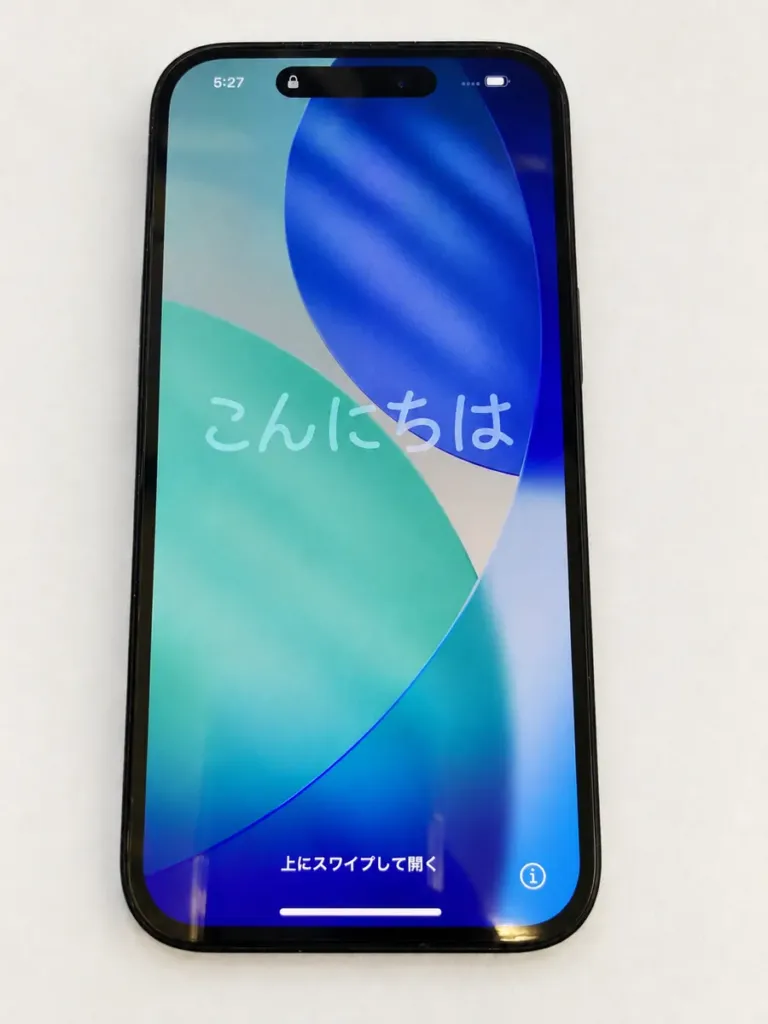
Power on and test the result
The completed screen displays the setup screen without the pink line seen in the before photo. Test touch across the whole display, brightness, the front camera, Face ID and the screen-off response during calls. A working display alone does not confirm every function.
Finish with a full function check
Depending on the replacement display, Apple’s Repair Assistant may be available to complete calibration. Transferring a sensor alone does not guarantee that every function or parts message will be resolved. Fresh adhesive does not guarantee factory water resistance.
Do I need a backup before bringing my iPhone to iExperts?
A standard screen replacement does not normally erase your data, so you can bring your phone to us even if the damaged screen has prevented you from backing it up. If a backup is possible, we still recommend making one first; data preservation cannot be guaranteed for every device condition.
iPhone repairs in Sydney CBD.
Visit iExperts Sydney at Level 9, The Dymocks Building, 428 George Street. Walk-ins are welcome, or book ahead to confirm your screen option and parts availability.
Photos from our workshop, retouched for background, lighting and reflection clarity. This guide covers the standard iPhone 15; other models have different procedures. For tool specifications and complete repair instructions, refer to Apple’s model-specific manual.


Leave A Comment