Repair stories, photo guides & practical advice
Explore real repairs from our Sydney CBD repair centre, step-by-step photo guides and practical tips for looking after your devices. From everyday faults to selected board-level repairs, we share what we find, how we approach it and what to consider before a repair.
iPhone, iPad, MacBook, Android and more — insights from iExperts Sydney.
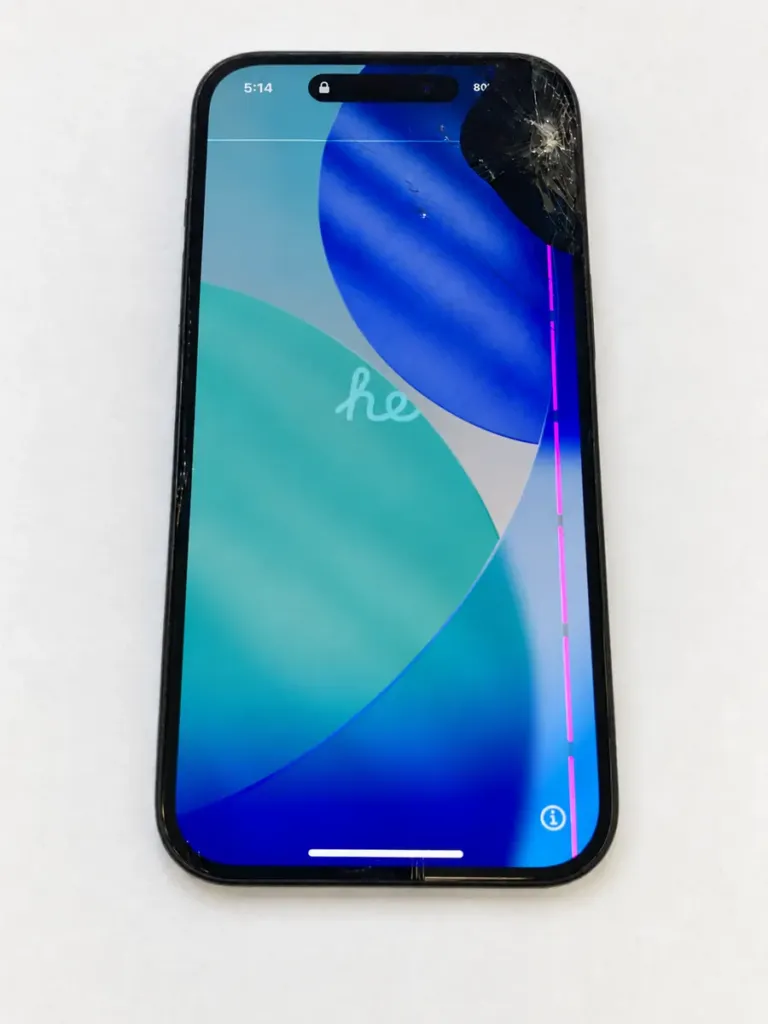
What goes into replacing an iPhone 15 screen?
Published: · Updated:
Follow eight real repair photos, from a cracked screen and pink line to sensor transfer, connector covers and final assembly. Clear explanations show what happens at each stage.
Thinking about a DIY repair, or simply curious about how your phone is repaired? Start with the photo guide.
View the iPhone 15 photo guide →
Black screen. Working external monitor. A repair worth investigating.
The problem
This MacBook Pro was running, but its built-in screen had no backlight. An external monitor still worked.
Our approach
We traced the fault to a backlight chip on the logic board and replaced the faulty component.
The result
The built-in display returned to normal. This urgent repair was completed within one day.
What this could mean for your device
A black screen does not always mean the entire display needs replacing. Diagnosis helps identify the actual fault. Every device needs its own assessment; repair options depend on the fault and condition.

Face ID stopped working after a repair?
The problem
After a battery repair elsewhere, this iPad arrived with damage to the screen and Face ID sensor flex.
Our approach
We preserved the original sensor components and carried out precision transfer and flex repair.
The result
Face ID was restored, keeping the original sensor components working with the iPad.
What this could mean for your device
Face ID faults can involve delicate original components. Have the damage assessed before deciding what to replace. Every device needs its own assessment; repair options depend on the fault and condition.
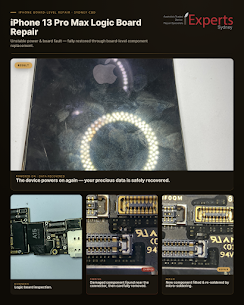
An unstable iPhone. Important photos. A second chance.
The problem
This iPhone had unstable power and a logic board fault, putting access to its photos and data at risk.
Our approach
We diagnosed the damaged board components and used microsoldering to replace the faulty parts.
The result
The phone powered back on, allowing photos and data to be recovered.
What this could mean for your device
If your phone will not stay on, tell us whether recovering your data is your priority when you bring it in. Every device needs its own assessment; repair options depend on the fault and condition.
Let’s find out what can be repaired.
Bring your device to iExperts in Sydney CBD. Tell us the symptoms and what matters most to you.
Book a repair assessment Call 1300 500 511